

| FAQ |
| Members List |
| Calendar |
| Search |
| Today's Posts |

View Today's Active Threads (No Chit Chat/Chit Chat Only) / View New Posts (No Chit Chat/Chit Chat Only) / Mark All Boards Read / Chit Chat Board
|
|
|||||||


 |
|
|
Thread Tools |
 11-05-2003, 12:01 AM
|
#1 | |||
|
||||
|
...the hard way...
Forum 3000 Club Member

|
Hello, all!
 I was wondering if I could change my avatar. I've never actually changed it before, so I don't know how to do it. The only reason I ask is because the last time I downloaded an avatar, it caused all sorts of problems!  Jenny helped me out there! Jenny helped me out there! Hopefully, this one won't be as bad, but I'd appreciate it if somebody told me what to do. Thanks!  Here's the link: http://davidandmaddie.com/uploads/10..._dreammain.jpg ...and the pic: 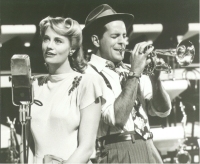 Later.  ~Lauren 
__________________
and loving and learning ...the hard way... |
|||

|

|
|
11-05-2003, 12:05 AM
|
#2 | |||
|
||||
|
...the hard way...
Forum 3000 Club Member
|
Wait a minute...I can't make up my mind!
 I have another pic. If anybody has an opinion, I'd appreciate it! Which do you like better? ...or...  I stink at decision-making! HELP!!!Later. ~Lauren
|
|||
|
|
|
|
11-05-2003, 02:46 PM
|
#3 | |||
|
||||
|
Two Valeries! <3
Forum Addict

|
Quote:

__________________
|
|||
|
|
|
|
11-05-2003, 02:49 PM
|
#4 | |||
|
||||
|
Two Valeries! <3
Forum Addict
|
All avatars here can be ANY size AT or UNDER 150 x 150 pixels (the pictures you posted were bigger than 150 x 150), so I have resized them for you. Here is the first one:
|
|||
|
|
|
|
11-05-2003, 02:49 PM
|
#5 | |||
|
||||
|
Two Valeries! <3
Forum Addict
|
Quote:
|
|||
|
|
|
|
11-05-2003, 02:54 PM
|
#6 | |||
|
||||
|
Two Valeries! <3
Forum Addict
|
To change your avatar, click on the blue "user cp" button near the top of the page...
When the page loads, click on the "Edit Options" link (3rd from the left when it finishes loading). Once you're in that page, scroll all the way down to the bottom of the page where it says "Avatar" with a picture of your current avatar and there should be a button under your current avatar that says "Change Avatar". Click on that, then let the page load again...Be sure you have saved the pictures I resized for you, then go to the bottom of the page and where you see "You can upload an avatar from your computer:", click on the "Browse" button and look for where you saved that image to, then once you find that, hit OK and click on the "Submit Modifications" button and you should be good to go. 
|
|||
|
|
|
|
11-06-2003, 12:05 AM
|
#7 | |||
|
||||
|
...the hard way...
Forum 3000 Club Member
|
Thanks a lot, PZelda!
I'll try that now. I wouldn't expect it to work, though.  I'll tell ya what happens! Later. ~Lauren
|
|||
|
|
|
|
11-06-2003, 12:08 AM
|
#8 | |||
|
||||
|
...the hard way...
Forum 3000 Club Member
|
Okay...
It's saying that it's not saved under a "valid JPG file". How do I do that? Thanks! Later. ~Lauren
|
|||
|
|
|
|
11-06-2003, 12:14 AM
|
#9 | |||
|
||||
|
Two Valeries! <3
Forum Addict
|
Quote:
|
|||
|
|
|
|
11-06-2003, 12:18 AM
|
#10 | |||
|
||||
|
Two Valeries! <3
Forum Addict
|
Quote:

|
|||
|
|
|
|
11-06-2003, 12:23 AM
|
#11 | |||
|
||||
|
...the hard way...
Forum 3000 Club Member
|
Hey!
Where do you save your avatars? I just put the address in Word and saved it under "My Pictures". I did put a ".jpg" at the end, though. Should I have done that? How do you do yours?  Thanks! Later. ~Lauren
|
|||
|
|
|
|
11-06-2003, 01:44 AM
|
#12 | |||
|
||||
|
23 Years at Sitcoms Online
Forum Icon

|
Quote:
__________________
Sonny |
|||
|
|
|
|
11-06-2003, 02:34 AM
|
#13 | |||
|
||||
|
Two Valeries! <3
Forum Addict
|
Quote:
That's why. I don't suggest saving it in Word. |
|||
|
|
|
|
11-06-2003, 10:33 PM
|
#14 | |||
|
||||
|
...the hard way...
Forum 3000 Club Member
|
YES!!! It worked!
 That was so easy! Thank you guys so much!!! That was so easy! Thank you guys so much!!! BTW: Now, if I wanna resize my pics myself, I can just do it in Paint? Thanks again...  Later. ~Lauren
|
|||
|
|
|
|
11-08-2003, 03:54 PM
|
#15 | |||
|
||||
|
It Sure Does
Moderator
Forum Celebrity 
|
Great new avatar
|
|||
|
|
|
|
|
|






 Can I change my avatar???

